
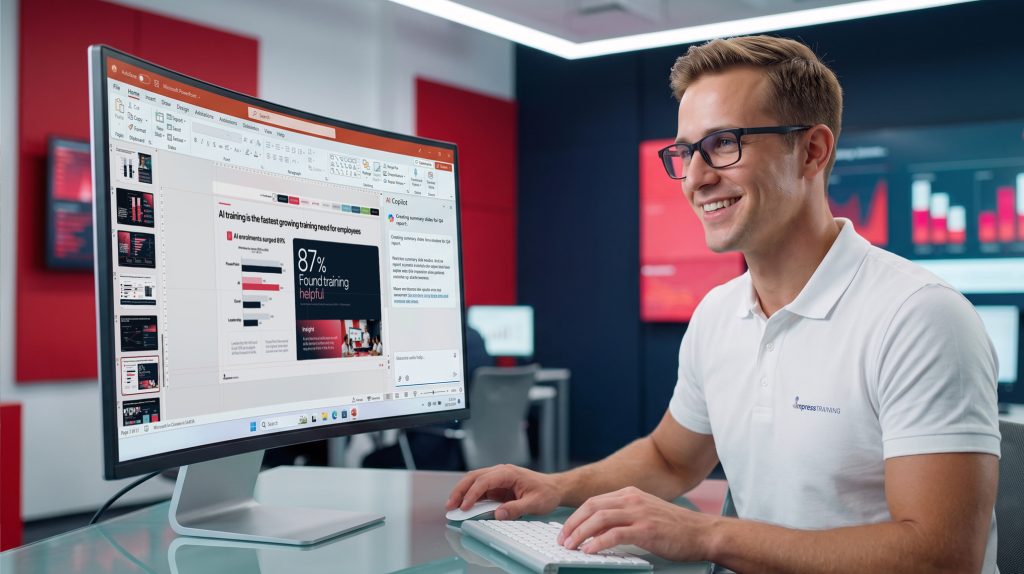
Home / Communication / PowerPoint Design for Business Presentati...
PowerPoint Design for Business Presentations with Copilot & AI
Enable the next generation of slide design with AI assist.

Level of course:
Intermediate
Delivery:
In-Person Learning
Duration:
/ 2 days
Upcoming Course Schedule:
19-20 Nov 2026
3-4 Dec 2026
11-12 Jan 2027
1-2 Feb 2027

Course Overview
Unleash the power of Copilot and AI tools to craft amazing slides.
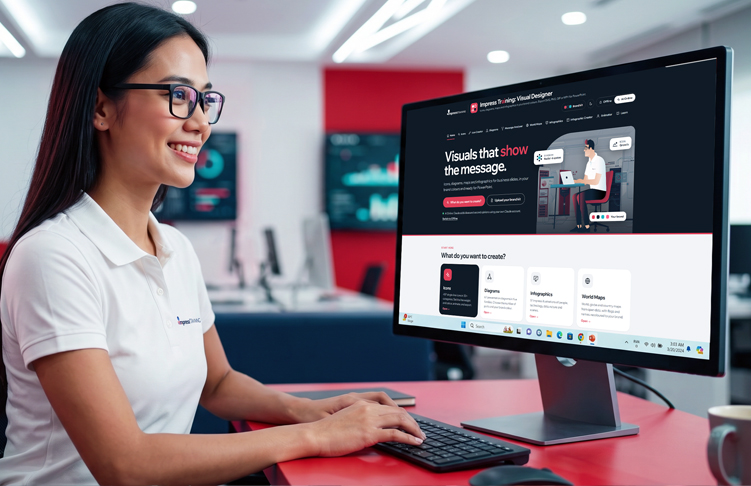
Ditch the bad business slides and unlock the full potential of PowerPoint. This all-new version of our best-selling course goes beyond the basics, helping you create highly engaging slides with AI as your assistant aided with Copilot and our exclusive Impress AI Apps.
This course is not just about mastering PowerPoint and AI, it's about using it strategically to amplify your message and leave a lasting impact with your audience.
Imagine:
Who is this course for?
Anyone that uses slide decks for communication purposes.
Key Takeaways
Course Pre-requisites :
- This fast-paced course is designed for intermediate to advanced users of MS PowerPoint.
- Participants must have a good working knowledge of the MS PowerPoint environment.
- Participants must have basic computer literacy.
- Able to read, write, listen, and speak in English and
- Willingness to engage in hands-on exercises and apply advanced powerpoint techniques during the course
Topics
Here's what you get to
learn in this course
Topic 1
Rethink corporate presentations for hybrid work and AI, with the latest features, best practices and examples. See what Copilot and AI can do and separate the hype from reality in the workplace.
Gain insights into:
- Boost personal and corporate productivity by highlighting best practices
- See how AI is shaping presentations and Brand Kits
- Showcase of Impress AI tools and Platform resources exclusively with Impress Training.
Topic 2
Use PowerPoint’s design functions to create professional, eye-catching visuals. Keep updated with the latest Copilot features and AI effects; and be refreshed contextually by those familiar tools to create more impressive designs.
Get ready to:
- Broad overview of upgrading skills in using image, formatting, shapes, motion, video, Cameo and 3D model tools
- Generate and edit images using Copilot
- Use the latest create-interactive-slide skill to build dashboards, explainers and more.
Topic 3
Use Merge Shapes to build business diagrams, infographics and illustrations in 2D and 3D. And find out how to animate for the purposes of storytelling. Use AI tools to help speed up this process and provide more visually engaging options.
You’ll be able to:
- Master Merge Shapes to build any diagram-type or illustration.
- Use AI to help visualise concepts using Skills
- Animate and bring motion to process diagrams and explainers for clarity
- Turn 2D shapes into 3D models
Topic 1
Briefly understand the difference between slides versus reports. See how Brand kits can aid in standardising a company's design ethos and employee decks quickly. Focus on creating templates with layouts that AI can better use for slide generation.
Learn how to:
- Build best practice Brand Kit AI-ready templates and layouts
- Generate presentation decks using Copilot
Topic 2
Keep updated and tour around the ever-changing Copilot environment and see Skills and Prompts in action. Learn the guidelines to prompting resulting in data being analysed better and messages more on point. See how skills can save time retyping long often-used prompts to improve productivity.
Learn how to:
- Use prompts and Skills to improve content and reduce time-consuming tasks on slides.
- Produce charts and analyse data
- Use and understand the Copilot Models and when to deploy them.
Topic 3
Proven methods to turn long-winded text slides into content that lands and provide meaningful insights. Understand that slides are what you ‘Show’, not everything you want to ‘Say’. Use information design to cut down text and focus on salient data points. And apply IBCS/ISO charts to improve dataviz.
- DRESS Guidelines that help reduce extraneous content loading.
- Assertion-Evidence method for writing clear messages and visual support.
- Brief look at DataViz and ISO 24896 based charts
- Discover how AI-powered Copilot can help all your content
AI Tool
Custom built AI Tools for Slide Design: Build IBCS® & ISO 24896 business charts, then export SVG, PNG, Excel or PowerPoint
What it can do:
- Stand alone offline application with added *AI online capabilities
- For those that need non-native Excel charts and don’t have access to Power BI or Think-cell. Perfect for class – but you can use it at work.
- Amazing capabilities to customise, export formats and import data.
AI Tool
Custom built AI Tools for Slide Design: Save time and quickly create Icons, diagrams, maps and infographics in your brand colours. Export SVG, PNG, GIF or MP4 for PowerPoint
What it can do:
- Stand alone offline application with added *AI online capabilities
- Hundreads of resources built-in.
- Can’t draw and waste time search for resources that you can’t customise – this is all-in-one solution. Perfect for class – but you can use it at work.
- Upload you own brand Kit colours, icons and illustrations.
Online Platform
Access our online Impress Training post-course to receive further slide resources, links, video tutorials and AI tools
What you get:
- 5hrs of additional video tutorials
- Sample presentations
- Access our AI tools to get hundreds of illustrative resources
- No time limit for access
Instructor
Know your course instructor
Mark Normand
Mark co- founded Impress Training in 2007 with the vision of raising the quality of training focused on tomorrow’s future workplace and the skills required. He has trained medium-sized and multinational companies at different levels of management, from C-Level to Executives. Including companies such as IDC, Coca-Cola, Rhode & Schwarz, DHL, ESRI, SingTel, ZF Asia Pacific, Kongsberg Maritime, Sure-Reach, Mapletree, ST Electronics, PSA International, DB Schenker, OCBC Bank, NCS, various Government Ministries and Agencies and many more.
Download Brochure

Fundings & Subsidy
* Participant need to meet the attendance and assessment requirements to be eligible for the funding.
| For Singapore Citizens & PR (below 40yrs old) |
For Singapore Citizens (40yrs old and above) |
|
|---|---|---|
| Course Fees | 1100 | 1100 |
| Funding Support | 550 | 770 |
| Total Fee payable | 550 | 330 |
Assessments
As part of the requirement for SkillsFuture Singapore, there will be an assessment conducted at the end of the course.
Participants are required to attain a minimum of 75% attendance and pass the assessment to receive a digital Certificate of Completion issued by Impress Training along with a WSQ Statement of Attainment.
SkillsFuture Credit
Eligible Singapore Citizens may use their SkillsFuture Credit balance to offset respective course fees. This is only applicable to Self-sponsored Individuals.

The Course is very useful. Trainer was engaging and I learned a lot.
Lee Ser Hiang
Senior Manager, CPF Board
The course was very interesting and Trainer was engaging and helpful.
Cheryl Foo
Manager, Supreme Court
Very engaging Trainer and knowledgeable in this field, Training was well-structured and many useful tips shared.
Abigail Lee
Marketing Executive, ST Telemedia Global Data Centres Pte Ltd
Well designed course and had great takeaways and backed by research.
Nigel Goh
Manager, Sembcorp Industries
Mind-blowing professional training course that helped my team with techniques to structure/plan a good presentations before diving into it.
Valerie Lee
Head, Corporate Development, Sembcorp Industries Ltd
I never knew PowerPoint has so much to offer. Thank you for alerting me to its possibilities.
Seah Boon Kiat
Deputy Manager, Temasek Polytechnic
Amazing instructor that never fails to wow and amuse me with his powerpoint creations. I enjoyed the course a lot. Keep it up!
Miko Chong
Product Innovator, NCS Pte Ltd
One of the most useful courses I've attended. Many hands-on practices. Great!
Samantha Wu
Manager, Civil Aviation Authority of Singapore
Great content delivered with great energy. Lots of learnings and insights.
Rakesh Patni
Research Director, IDC Asia Pacific
This course is a MUST for any professionals who does presentations, whatever the frequency maybe. Overall lots of knowledge gained & this would be very relevant and beneficial to my career.
Rubegan Soundarajan
Plant Manager, ST Engineering Innosparks Pte Ltd
The Trainer has done an impressive job in delivery a concept and impactful course on producing and presenting business presentations. He is entertaining and delivered the course very effectively.
Roderick Leong
Manager, Nxera SG Pte Ltd
Interesting Course - Animation are more effective than we thought. Passionate Trainer!
Ong Lay Khoon
Vice President, Sembcorp Energy Markets Pte Ltd
The course is amazing. Trainer is great, has lots of knowledge and very engaging.
Alberto Resco Perez
Senior Director, Software Engineering, Singtel
Trainer is very engaging and approachable, along with excellent delivery of course content.
Cedric Ang
Associates - Investments, Fraser Hospitality
Every Minute well-spent! On a more important note, definitely seeing myself applying the learning into my daily work.
Megan Niu
Lead, Sembcorp Industries Ltd
Fun learning session, a lot of insights sharing during the training.
Song Peilin
Senior Finance Manager, Mapletree Investments



Impressive Business Presentations
Topic Covered:
Business Communications, GenAI, Presentations Structure, Story Telling, Technology
$950
/ 2 days